Open-source Android appDriveDroid alternative
BootStickBoot any PC from an ISO file on your Android phone. No USB stick, no flashing, no Rufus.
BootStick turns your rooted Android phone into a bootable USB drive: it shows up on a computer as a USB disk or a CD-ROM. The “drive” is an .iso or .img file stored on your phone. Plug it in, pick it in the boot menu, and install Linux, run a Windows installer or start a rescue system. It is a free, open-source DriveDroid alternative, and it works on phones where DriveDroid mounts the image but the PC sees nothing.
- Free & open source
- MIT license
- Android 8.0+
- KernelSU
- KernelSU Next
- Magisk
- APatch
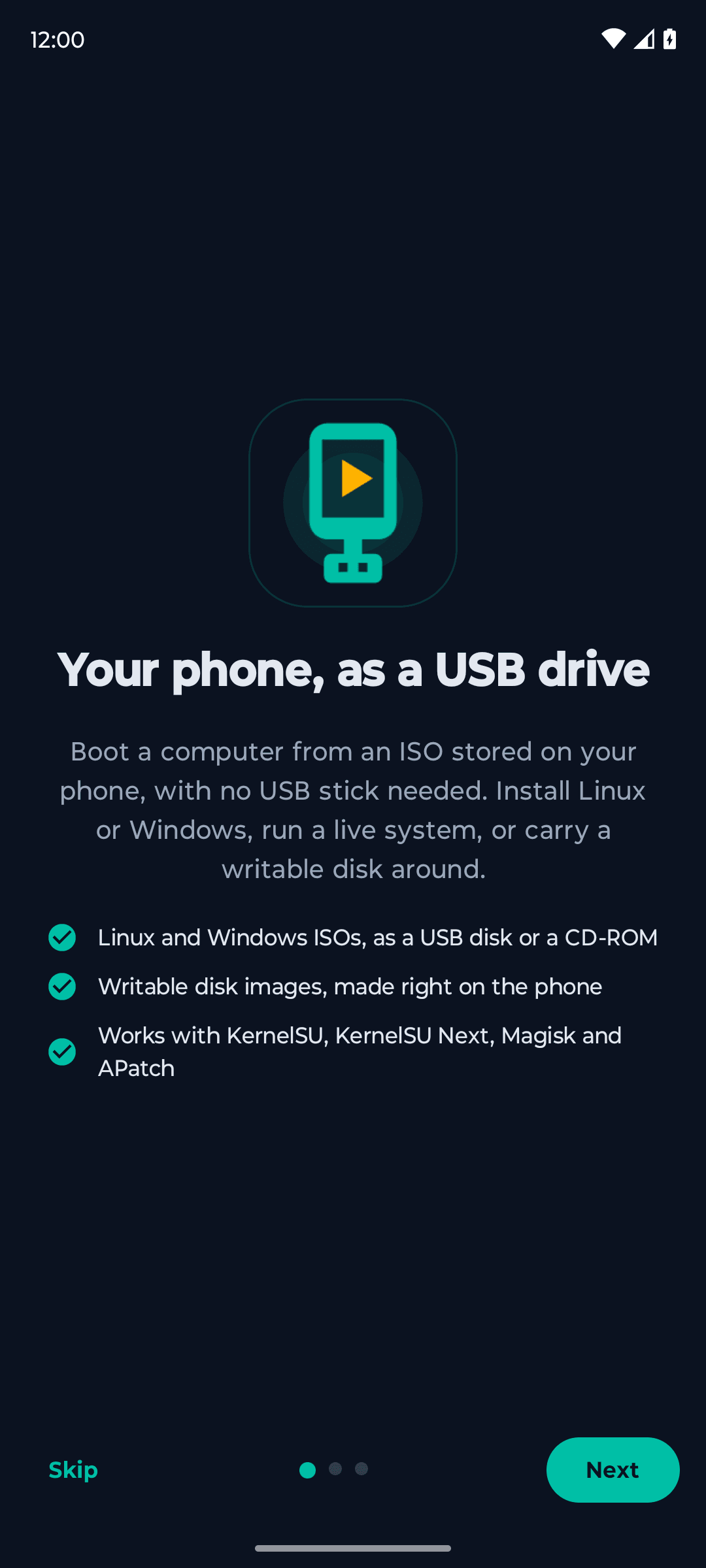
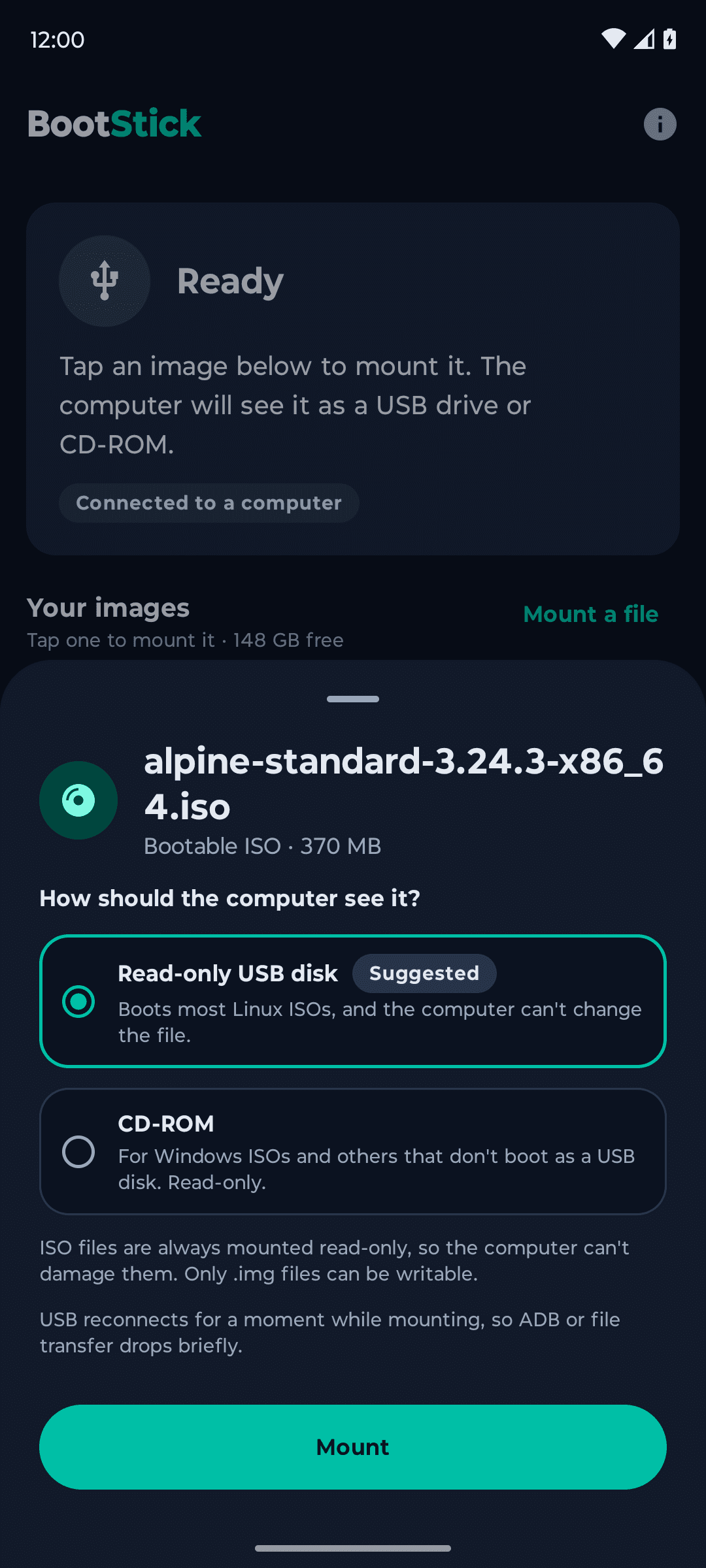
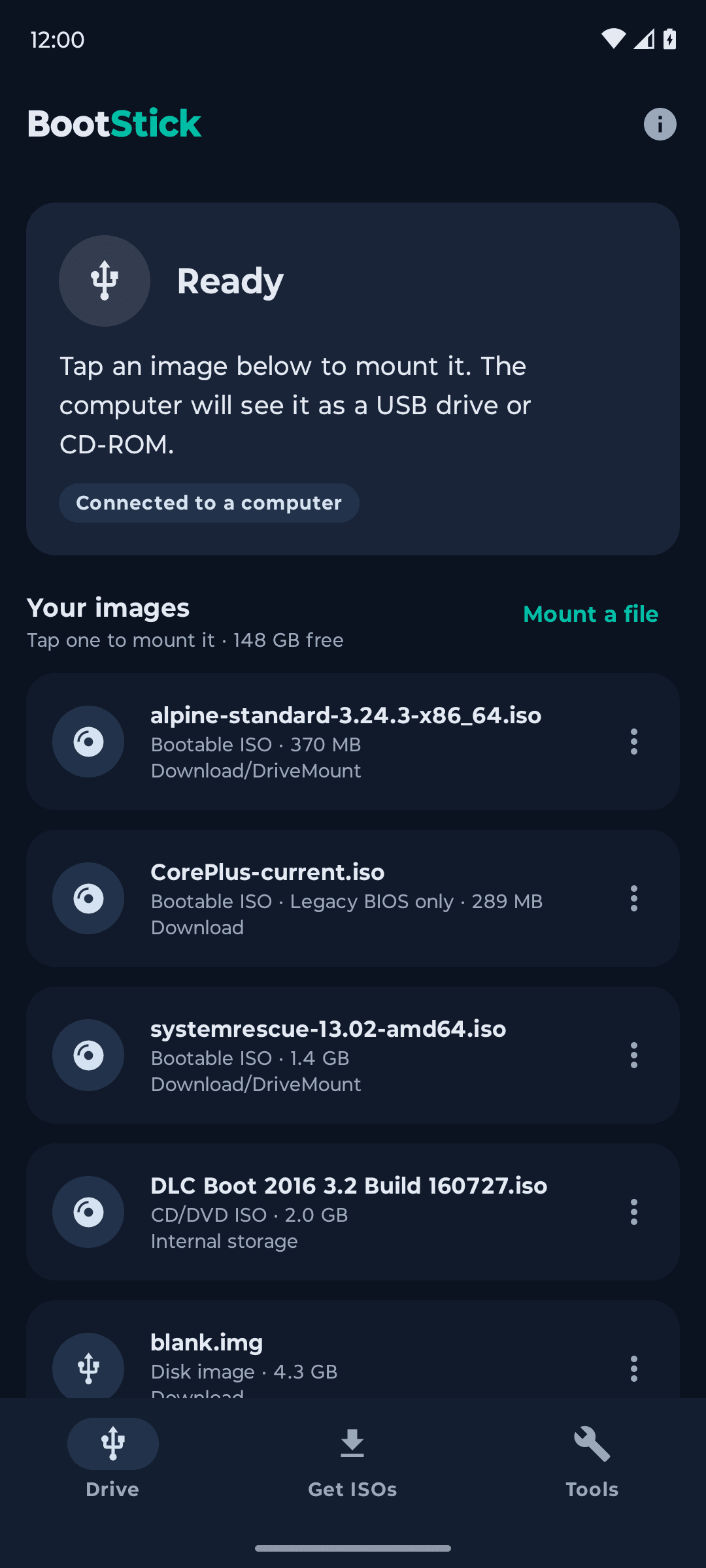
01Quick start
How to boot a PC from your Android phone
Five steps from install to boot menu, from rooting to picking the drive in the PC's boot menu.
Install BootStick and open it
A short introduction explains how it works and checks whether root works on your phone.
Give it root
KernelSU, KernelSU Next or APatch: there is no pop-up. BootStick shows a button that opens your root manager. Find BootStick under Superuser, switch it on and come back. Magisk: allow the prompt the first time.
Get an ISO
Download one in the Get ISOs tab (31 Linux distributions and tools, always the newest version), or use one you already have. BootStick finds every image on your phone.
Tap the image, tap Mount
BootStick picks the right mode for you: read-only USB disk for most Linux ISOs, CD-ROM for Windows ISOs.
Plug in and open the boot menu
Connect the phone to the PC and open its boot menu (usually F12, F11, F8 or Esc while it starts). Pick the drive called BootStik followed by the image name. When you are done, tap Eject in the app or the notification.
02Features
What BootStick can do
Three tabs: Drive (what is mounted, and your images), Get ISOs (downloads) and Tools (check an image, make a blank one, boot guide, diagnostics).
Use your phone as a USB drive
Needs root
Three modes, right one suggested
Read-only USB disk for hybrid ISOs (most Linux). CD-ROM for plain ISO 9660 images such as Windows installers. Writable USB disk for .img files. ISOs are never mounted writable, so a PC offering to format the drive can't destroy them.
Several drives at once
Mount an ISO, then add a save disk next to it. Each one shows up as its own drive and can be removed on its own.
Image library
Scans internal storage and SD cards for .iso, .img, .bin, .raw, .ima, .dsk and .vhd files. Check, unpack, rename or delete any image from its menu.
Your image name in the boot menu
For example BootStik CorePlus-current, in BIOS boot menus and in macOS Disk Utility.
Stays mounted
A notification shows what is mounted, with an Eject button. Switching USB mode keeps the drive attached, and after you eject on one computer the image goes back in when you plug into the next. It can also mount again after a restart.
Quick Settings tile
Mount the last image or eject without opening the app. The tile asks you to unlock first, so nobody can mount your images from the lock screen.
ADB keeps working
Your debugging connection stays up while an image is mounted, so you can keep developing with the phone plugged into the same machine.
Everything else
No root needed
31 distro ISO downloads
Always the newest release, grouped and searchable. Or paste any https:// link, or share one to BootStick from your browser.
Downloads that don't waste your time
Up to 4 parallel connections per file. Pause and resume any time, even after a restart. Space is reserved up front, so a full phone fails at the start, not at 90%.
Auto-verify and unpack
When a download finishes, BootStick finds the checksum the project publishes and compares it (25 of the 31 entries publish one). .img.xz, .iso.gz and .iso.zip are unpacked for you.
Check an image
Find out what a file really is, which mode to mount it in, and whether its MD5, SHA-1, SHA-256 or SHA-512 matches the one you paste.
Blank FAT32 images
Make blank disk images of any size, optionally formatted as FAT32 on the phone, so Windows, macOS and Linux can use them straight away.
Boot guide
The boot menu key for common PC brands, and what to try when a computer won't boot.
31 downloads, one tap
Free, open-source systems, always the newest release. The app is in 9 languages: English, Arabic, French, Italian, Brazilian Portuguese, Turkish, Hindi, Urdu and Sindhi.
9 languages
- Desktop
- Ubuntu Desktop
- Kubuntu
- Xubuntu
- Linux Mint Cinnamon
- Linux Mint Xfce
- Fedora Workstation
- Debian Live (GNOME)
- openSUSE Tumbleweed
- EndeavourOS
- Pop!_OS
- Manjaro KDE
- NixOS
- Server
- Ubuntu Server
- Debian (net install)
- Rocky Linux (minimal)
- AlmaLinux (minimal)
- Proxmox VE
- Lightweight
- Arch Linux
- Alpine Linux
- Tiny Core Linux (CorePlus)
- netboot.xyz
- Rescue & tools
- SystemRescue
- GParted Live
- Clonezilla Live
- Rescuezilla
- Memtest86+
- ShredOS
- Security & privacy
- Kali Linux
- Parrot Security
- Tails
- BSD & more
- FreeBSD
03Screenshots
See it on a phone
Nine screens from the app, in order of use. Scroll sideways, or use the arrow keys once the row has focus.
Splash Welcome Drive tab Mount sheet 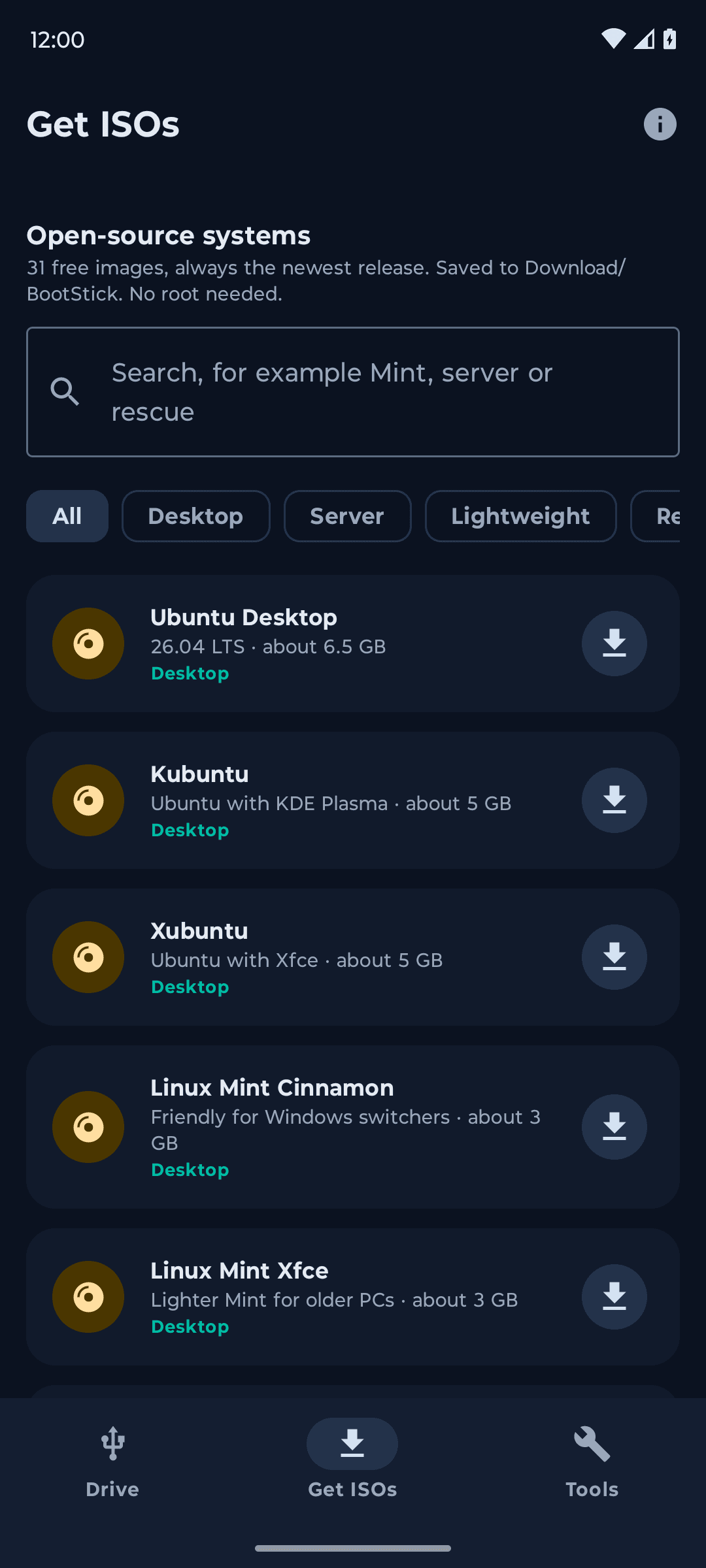
Get ISOs 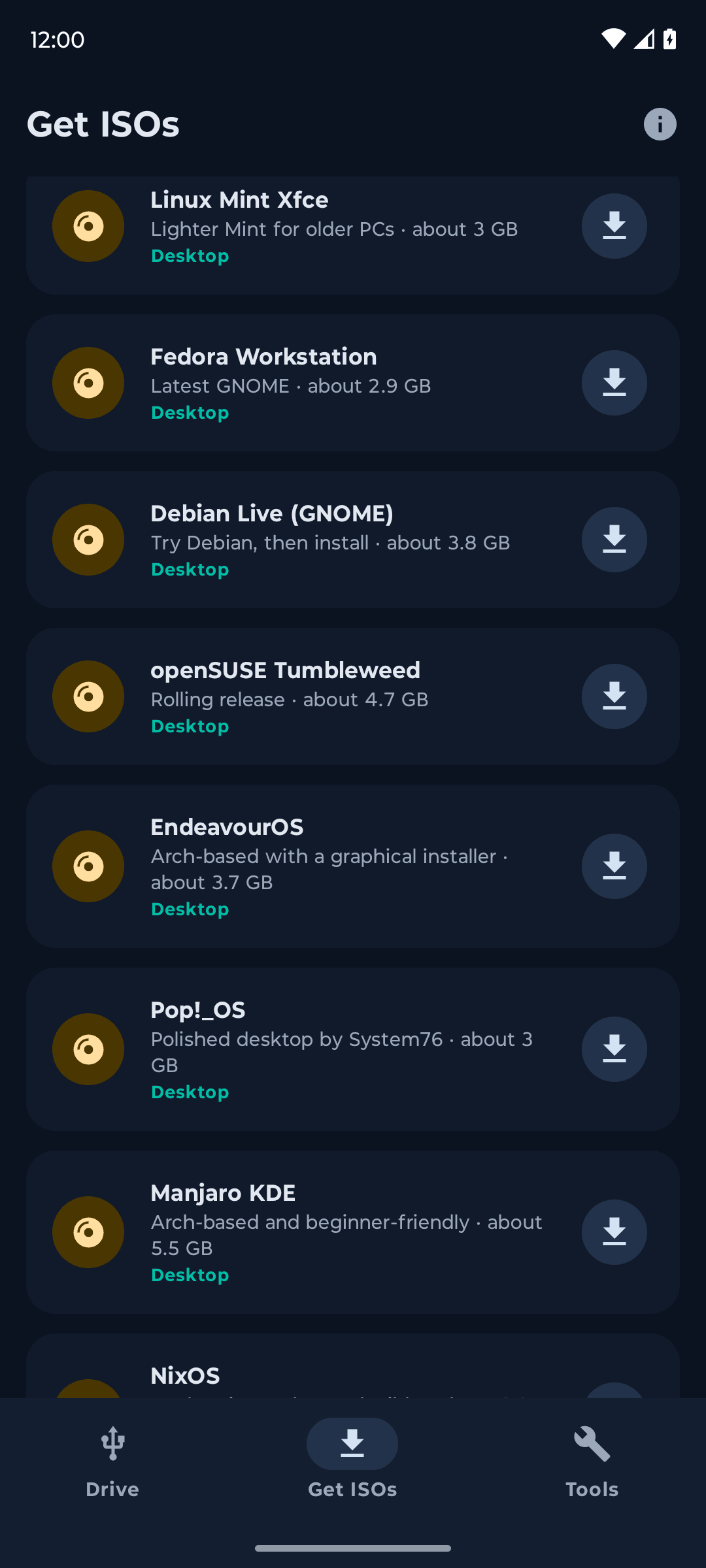
Catalog 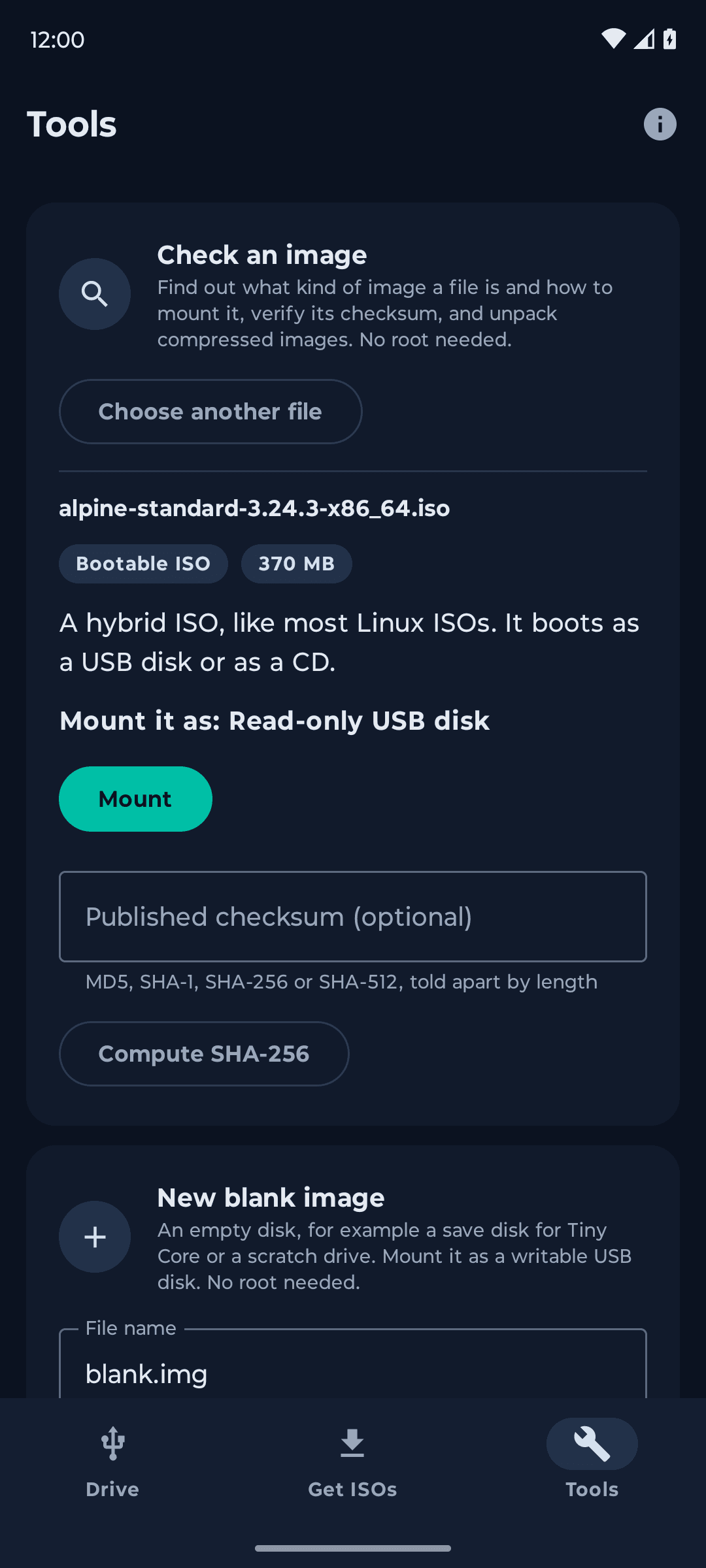
Check an image 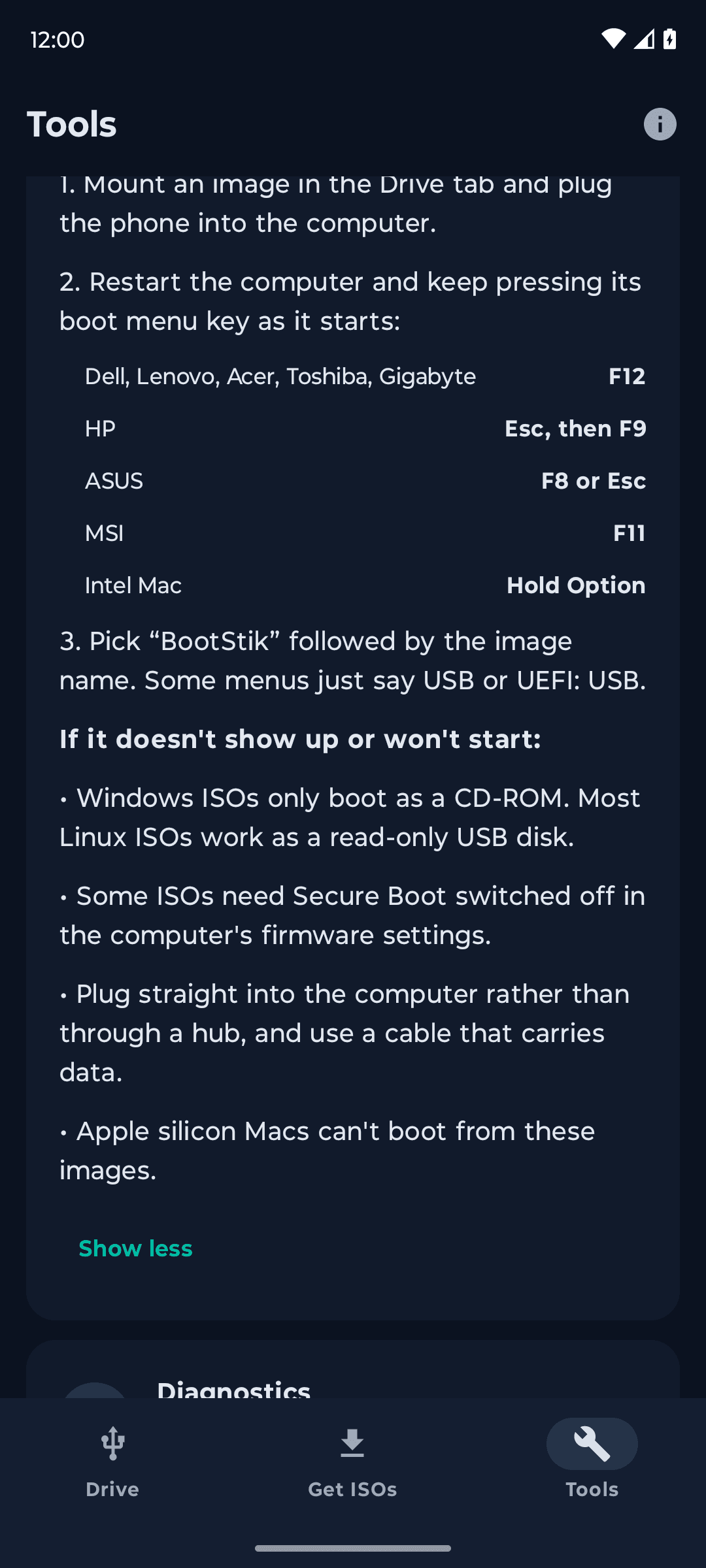
Boot guide 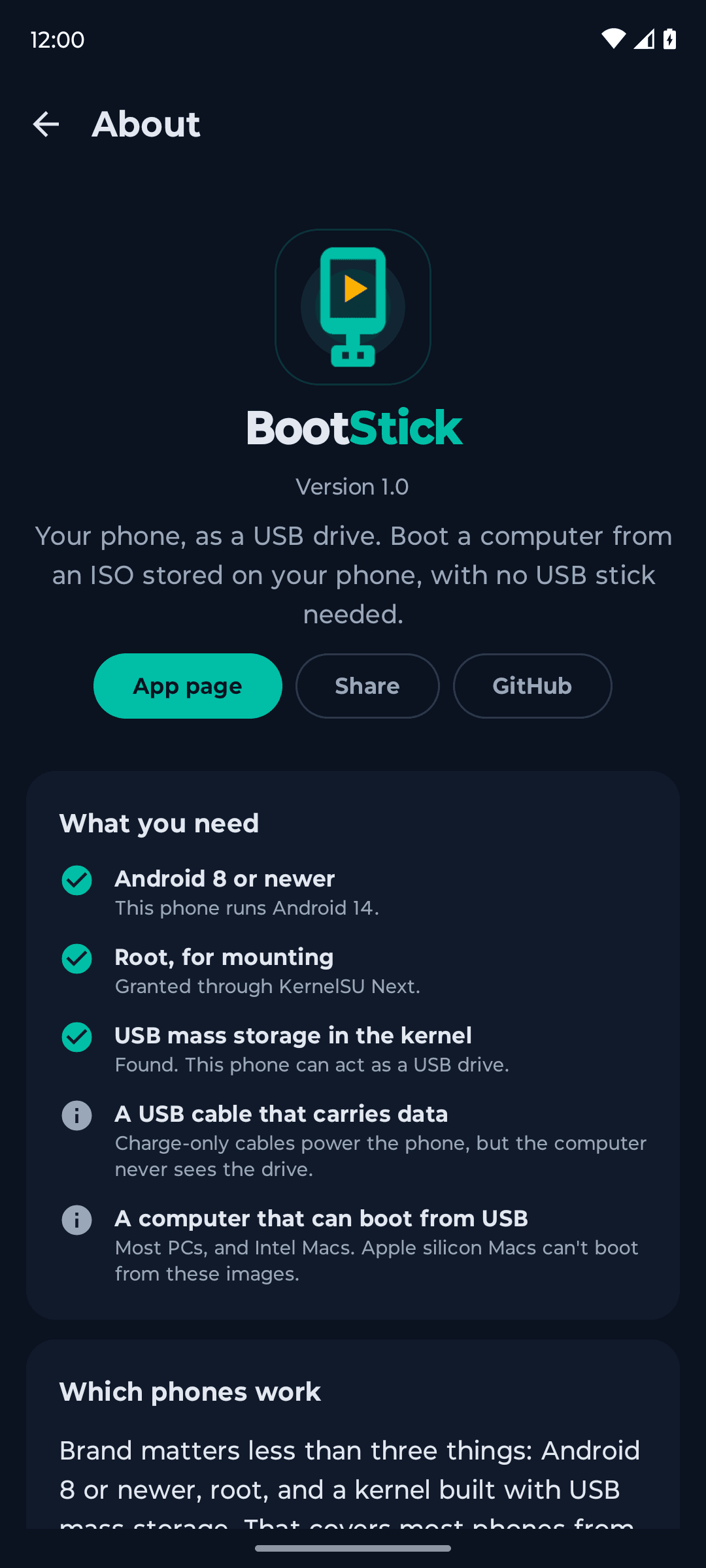
About
04Compatibility
Will BootStick work on my phone?
The brand matters less than three things: Android 8 or newer, root, and a kernel with USB mass storage. That covers most phones from 2018 onward.
To use your phone as a USB drive you need
Android 8 or newer with a configfs USB gadget (nearly every phone since 2018). Older phones with the legacy android_usb gadget work too, one image at a time.
Root from KernelSU, KernelSU Next, Magisk or APatch.
USB mass storage in the kernel (CONFIG_USB_CONFIGFS_MASS_STORAGE). Most vendor kernels have it; if yours doesn't, BootStick tells you.
A USB cable that carries data A charge-only cable charges the phone, but the computer never sees a drive.
A computer that can boot from USB Almost any PC, and Intel Macs.
Downloads, image checks and blank images work on any phone with Android 8 or newer, rooted or not. The About screen (the info button) checks the first three requirements on your phone, so you don’t have to guess.
Tested phones
| Phone | Android | Root | Result |
|---|---|---|---|
| Motorola ThinkPhone 2023 (bronco), GKI 5.10 | 14 | KernelSU Next | Works (tested with a Windows PC and a Mac) |
Tried it on another phone? Open Tools, Diagnostics, Share and send the report (opens in a new tab), working or not, and it gets added to this table.
05DriveDroid alternative
BootStick vs DriveDroid: a free, open-source DriveDroid alternative
DriveDroid is the best-known app for this job. Here is a side-by-side, using what DriveDroid's own site and store listings say.
| Feature | BootStick | DriveDroid (free) | DriveDroid (paid) |
|---|---|---|---|
| Needs root | Note: Root required | Note: Root required (DriveDroid: "requires a rooted Android system") | |
| Price | Yes: Free | Note: Free, with ads | Note: $1.99, no ads |
| Source code | Yes: Open source (MIT), on GitHub | No public source code | |
| Latest release | Yes: v1.0 (2026). GitHub releases are built and signed in CI, with a .sha256 file | Note: 0.10.50 (2018), which raised the target to Android 9. No updates since | |
| Where to get it | Note: APK from GitHub Releases | No: Google Play listing no longer available | No: Removed from Google Play in May 2024 |
| How the USB drive is set up | Yes: Configures the configfs USB gadget directly, with a legacy android_usb fallback | Note: 0.10.50 uses the setprop mode (sys.usb.config=mass_storage) and relies on the phone's init scripts. On the Motorola ThinkPhone it reports "mounted" but the PC sees nothing Why this fails | |
| CD-ROM mode for Windows ISOs | Yes, on stock kernels with configfs mass storage | Note: True CD-ROM emulation needs a custom kernel or ROM that supports it (DriveDroid's site) | |
| Root managers | Yes: KernelSU, KernelSU Next, Magisk, APatch | Not stated | |
| Download images in the app | Yes | Yes, a download menu (Ubuntu, Mint, Fedora, openSUSE, Arch) | |
| Make blank images | Yes, any size, optionally formatted as FAT32 on the phone | Yes | |
| Resize images | No | No | Yes |
| Your own download repositories | Note: Paste any https:// link | No | Yes |
| 31-distro catalog that finds the newest release and checks its checksum | Yes | Not stated | |
| Resumable, parallel downloads | Yes | Not stated | |
| Several drives at once | Yes | Not stated | |
| Writable USB disk | Yes, for .img files | Not stated | |
| Quick Settings tile | Yes | Not stated | |
| Your image's name in the boot menu | Yes | Not stated | |
| Languages | Yes: 9 | Not stated | |
As of November 2026, from DriveDroid’s own site and store listings. “Not stated” means I couldn’t confirm it either way, not that it is missing. Where the two DriveDroid versions are the same, one cell covers both. DriveDroid belongs to its owner; BootStick is not affiliated with it.
06DriveDroid not working?
Why DriveDroid fails on some phones
On the Motorola ThinkPhone, DriveDroid 0.10.50 says the image is mounted, but no drive appears on the PC. BootStick was written to fix exactly that.
- DriveDroid's USB mode is setprop: it sets sys.usb.config=mass_storage and relies on the phone's init scripts to attach the image.
- Motorola's init.mmi.usb.rc has no rule for that property. It only links mass_storage in charger mode.
- So functions/mass_storage.0 is never linked into the active USB configuration, and the PC never sees a drive. DriveDroid's other modes don't help either.
- The kernel itself is fine: CONFIG_USB_CONFIGFS_MASS_STORAGE=y, and Motorola's moto_f_mass_storage module is loaded.
The fix
BootStick skips the phone’s init scripts and sets up the drive in configfs itself, which is why it works here.
07Under the hood
How it works
All the USB work happens in one root shell script, bootstick.sh. The app copies it out and runs it with su.
It finds the USB setup
Instead of assuming one phone's paths, it looks for the configfs mount, the gadget bound to a USB controller, a mass_storage.* function (it creates mass_storage.0 if the kernel supports it) and the controller itself.
One LUN per image
Each image gets a LUN (file, ro, cdrom, removable, inquiry_string) and the function is linked into the config as bootstick. A link with its own name survives USB mode changes, which only remove links like f1 and f2.
A tight retry loop
On the ThinkPhone the USB HAL rebinds the controller about 300 ms after anything unbinds it, and the kernel refuses new links while it is bound. So the link is retried until it sticks.
Init's mount namespace
It runs under nsenter -t 1 -m, so /data/media/0 and /mnt/media_rw/* paths work whichever root solution started it.
Legacy fallback
Without configfs it uses the android_usb gadget: it writes the image to f_mass_storage/lun/file and sets the functions to mass_storage (plus adb, if it was on). One LUN, so one image at a time.
Use it without the app
The script works on its own, from Termux or over ADB. Modes are ro (read-only disk), cdrom and none (writable).
The download list is a public file, catalog.json. The app checks it once a day, so when a distribution moves its downloads a fixed catalog reaches every installed app without an update.
bootstick.sh
adb push app/src/main/assets/bootstick.sh /data/local/tmp/bootstick.sh
su -c 'sh /data/local/tmp/bootstick.sh attach /sdcard/Download/ubuntu.iso ro'
su -c 'sh /data/local/tmp/bootstick.sh detach'08FAQ
Frequently asked questions
Short answers to what people search for before they try it.
Is BootStick a DriveDroid alternative?
Yes. BootStick is a free, open-source DriveDroid alternative: your rooted phone shows up on a PC as a USB drive or a CD-ROM, with an ISO file as the disk. It sets up the USB gadget itself, so it works on phones where DriveDroid says the image is mounted but the PC sees nothing. Like DriveDroid, it needs root.
Is there a Rufus for Android?
BootStick covers the same need without writing anything. Rufus flashes an ISO to a USB stick; BootStick keeps the ISO on your phone and shows it to the PC as the drive, so there is no stick and no flashing. It needs a rooted phone.
Can I boot a PC from my Android phone?
Yes, if your phone is rooted and its kernel has USB mass storage, which most phones since 2018 do. Mount an ISO in BootStick, plug the phone in, and choose it in the PC's boot menu. No USB stick and no flashing tools like Rufus or balenaEtcher.
Does BootStick work with KernelSU, Magisk and APatch?
Yes. BootStick works with KernelSU, KernelSU Next, Magisk and APatch through their regular su. The root is needed to change the kernel's USB mass storage setup; BootStick is a normal app, not a module, so there is nothing to flash.
Does BootStick need root?
Only for the USB drive part, because making the phone appear as a USB drive means changing the kernel's USB setup. Downloading ISOs, verifying checksums, unpacking images and making blank images all work without root.
Is BootStick a Magisk module?
No, it's a normal app. It works with Magisk, KernelSU, KernelSU Next and APatch through their regular su, so there's nothing to flash.
Does it work with SELinux set to Enforcing?
Yes. BootStick never switches SELinux to Permissive. All root work runs through your root manager's su, which is already allowed to change the USB setup. One catch: if KernelSU's App Profile puts BootStick in a restricted domain, mounting fails. Keep it on the default root profile.
DriveDroid not working: it mounts the image but my PC sees nothing. Will BootStick work?
That's exactly the problem BootStick was written to fix. On some phones DriveDroid's setprop mode never gets the image linked into the USB configuration, while BootStick sets up the drive in configfs itself. See "Why DriveDroid fails on some phones" on this page.
My Windows ISO won't boot from the phone.
Mount it as CD-ROM. Windows installer ISOs only boot from a CD drive, while most Linux ISOs boot as a read-only USB disk. BootStick suggests the right mode for every file. If it still doesn't show up, try switching Secure Boot off and plugging straight into the PC instead of through a hub.
Can I install Windows 11 from my Android phone?
Yes. Download or copy the ISO to your phone, mount it (CD-ROM for Windows, read-only disk for Linux), and boot from it as you would from a USB stick. The same steps boot Linux from your phone.
Can I boot a Mac from it?
Intel Macs, yes (hold Option at startup). Apple silicon Macs (M1 and later) can't boot from external images like these.
Can I save files to the drive?
On a blank .img mounted as a writable USB disk, yes: it's a real disk the computer can format and fill. An ISO can't be written to, even in writable mode, because its file system is read-only by design.
Is this a Ventoy alternative for Android?
For carrying a handful of ISOs, yes: every image lives on your phone, and BootStick downloads the newest versions for you. It shows each image as its own drive instead of a Ventoy-style boot menu.
Is it safe?
The code is all on GitHub, under the MIT license. Root actions go through one short script, bootstick.sh, that only touches image files and refuses to delete or rename a mounted one. ISOs are always mounted read-only.
DownloadFree, MIT licensed
Skip the USB stick. Boot from your phone.
One APK works on every phone. Releases are built and signed by GitHub Actions from the code in the repo, so what you install is what you can read.